Registration, documents, AD bank role and each screen of the FC-GPR on the RBI FIRMS portal, in order, with the checks to make before you submit.
The term sheet is signed and the foreign investor's money is about to land. Someone says the company must file FC-GPR on the RBI portal, and then the portal turns out to have no obvious place to start. This is how to file FC-GPR on FIRMS portal, in the order we follow, from registration to the acknowledgement, and the checks that keep the bank from sending the form back.
Before you open the portal
Have the papers ready first. The AD bank reviews them, and gaps cause queries. The usual set for a first FC-GPR is below. Your bank may add to it, so ask early.
- •
Board approval of the allotment of shares.
- •
The FIRC (foreign inward remittance certificate), if applicable.
- •
The KYC report on the foreign investor, from the investor's bank through the Indian AD bank.
- •
The valuation certificate, from a chartered accountant, merchant banker or registered valuer, as applicable.
- •
The company secretary's certificate on compliance.
- •
The authorised representative's declaration.
- •
The shareholding pattern and the investor's details.
- •
The company's PAN, certificate of incorporation and AD bank details.
- •
The return of allotment filed with the registrar (Form PAS-3), if your bank asks to see it.
For why filings are returned, read Why FC-GPR Gets Rejected.
Register first on the RBI FIRMS portal
The RBI FIRMS portal (Foreign Investment Reporting and Management System) is where FC-GPR is filed. Searching for an FCGPR login? There is no separate one. You log in to FIRMS as a Business User, and you must register before the form can be filed.
You register twice, in this order. First, an Entity User registers the company in the Entity Master with its CIN, registered office and an authority letter. Then a Business User registers and chooses the bank that will approve the e-KYC. Once approved, the RBI sends the approval and login credentials. In our files the login arrives about 2 to 3 days after a clean submission, so plan for longer and do not leave it to the last week.
Apply before the money arrives. The 30 days run from the allotment of shares, and a delay in registration eats into them.
The FC-GPR filing process: filling and submitting the form
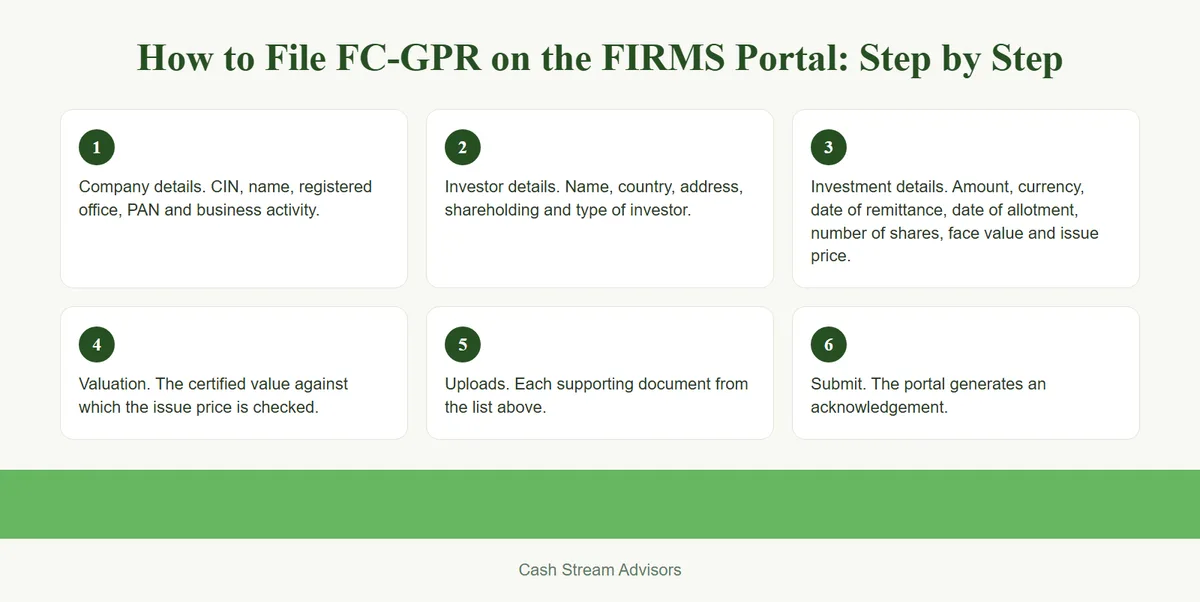
Once you can log in, you reach the Single Master Form and select FC-GPR. The FC-GPR filing process follows these screens, in this order. Labels can differ slightly on the live portal.
- 1
Company details. CIN, name, registered office, PAN and business activity.
- 2
Investor details. Name, country, address, shareholding and type of investor.
- 3
Investment details. Amount, currency, date of remittance, date of allotment, number of shares, face value and issue price.
- 4
Valuation. The certified value against which the issue price is checked.
- 5
Uploads. Each supporting document from the list above.
- 6
Submit. The portal generates an acknowledgement.
Use the same figures in the form as in your documents. The bank can check anything in the form, and in our files it checks closely.
What the AD bank does
After you submit, the AD bank reviews the form and the documents. In our files it is usually one round: the bank accepts, or it raises a query or returns the form. The review has taken about a week.
A query is a request for more documents. If the form is returned, we correct it and resubmit. Read Why FC-GPR Gets Rejected for that loop. Some banks also charge for repeated queries and the review work they cause, so a clean first submission saves money. Ask your bank what it charges.
Check before you submit
The bank can check any field. These are the four we check ourselves.
| Field in the form | Must match | Where to check |
|---|---|---|
| Investor name and address | The FIRC, the KYC report and the agreement | FIRC and KYC report |
| Amount and date of remittance | The FIRC and the bank statement | FIRC and bank statement |
| Number of shares and issue price | The board resolution, the return of allotment and the register | Board papers and the registrar filing |
| Valuation | The certificate and the issue price | Valuation certificate |
Planning the 30 days
The slowest parts are usually outside the portal: the investor's KYC report, the valuation certificate and the bank's approval of the Business User. Start those first, register on FIRMS before the allotment, and keep the figures consistent from the first draft. Then the form itself is the short part. If the 30 days have already passed, read Missed the RBI Reporting Deadline: Late Fee or Compounding.
How we help
We prepare the documents, register the company on FIRMS, fill and submit the form, and answer the bank's queries until the filing is accepted. If you are planning a foreign investment or have received the money, Book a Consultation. See also our FC-GPR service.
Talk to an advisor
Planning a foreign investment or already received the money? Speak to us. Book a Consultation, message us on WhatsApp, or write to us by email.
This Insights article is general information, not advice on a specific transaction. Read our disclaimer and regulatory compliance pages.
Official references
Form FC / RBI Reporting
FIRMS portal filing and your recurring RBI compliance calendar., handled so it does not become the subject of your next article.