Books and bank statement will not agree? The usual causes of a reconciliation difference, how to find them, and when to ask for help.
It usually happens late in the month. The books and the bank statement will not agree, the gap is small, and it has already eaten an evening. A bank reconciliation not matching feels like a mystery, but in the books we take over the cause is almost always on a short list.
The usual causes of bank reconciliation errors
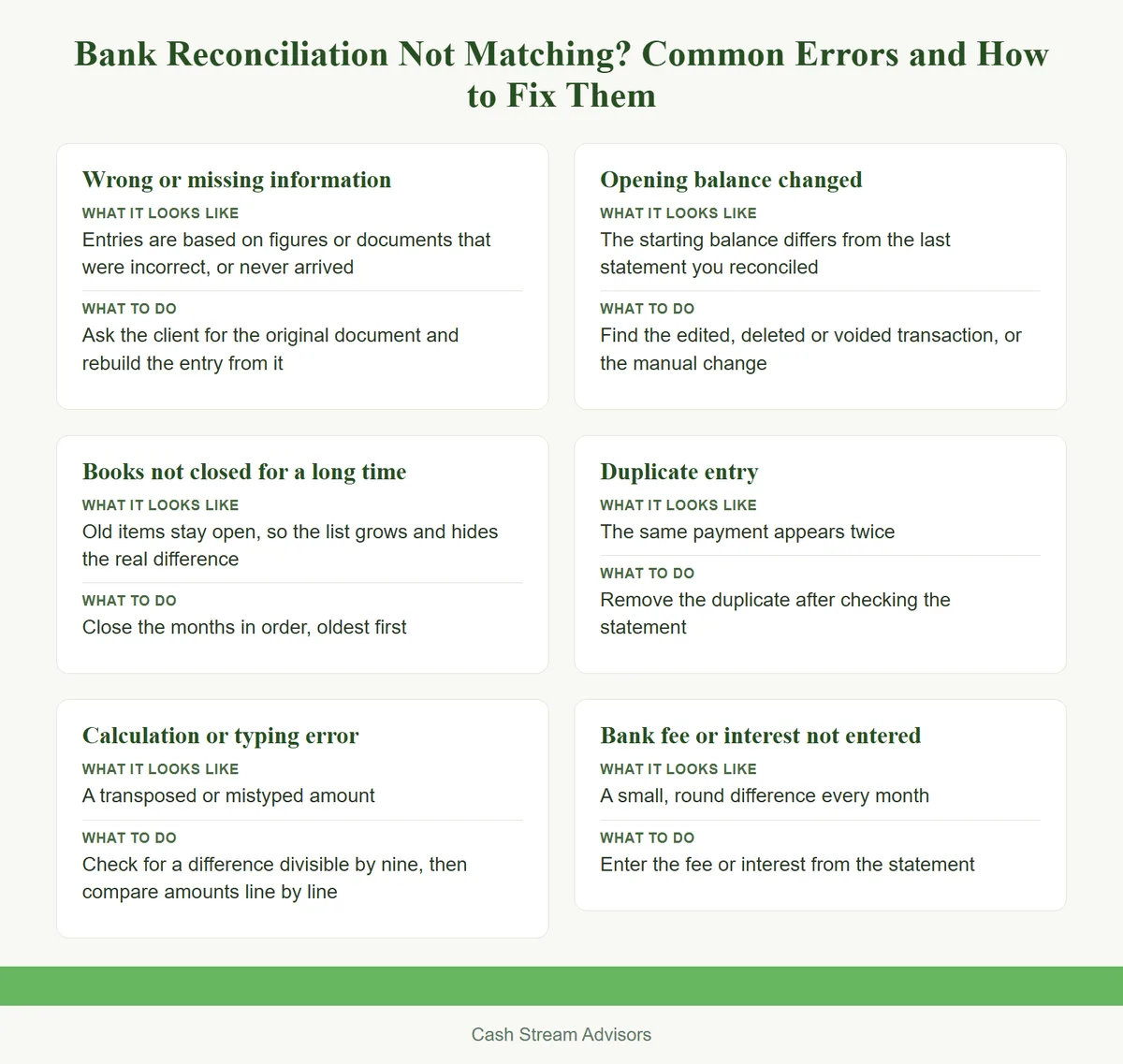
The first three rows are the causes we meet most often. The last three are standard causes that every bookkeeper learns to look for.
| Cause | What it looks like | What to do |
|---|---|---|
| Wrong or missing information | Entries are based on figures or documents that were incorrect, or never arrived | Ask the client for the original document and rebuild the entry from it |
| Books not closed for a long time | Old items stay open, so the list grows and hides the real difference | Close the months in order, oldest first |
| Calculation or typing error | A transposed or mistyped amount | Check for a difference divisible by nine, then compare amounts line by line |
| Opening balance changed | The starting balance differs from the last statement you reconciled | Find the edited, deleted or voided transaction, or the manual change |
| Duplicate entry | The same payment appears twice | Remove the duplicate after checking the statement |
| Bank fee or interest not entered | A small, round difference every month | Enter the fee or interest from the statement |
For the monthly routine that prevents most of these, read Month-End Close Checklist for Small Businesses: A Working Routine.
How to find a stubborn difference
Work in this order.
- 1
Get the documentation in order. Gather the statements and the original documents for the period.
- 2
Build the trail. Follow the original documents from the start of the period to the end, so every entry has a source.
- 3
Discuss the differences with the client. Items that do not match are asked about, not guessed.
- 4
Use a divisible-by-nine check when it helps. If the difference divides evenly by nine, two digits may have been swapped, as in 54 and 45.
Look first at the month in which the balance moved. Everything before that month agreed, so the cause sits at or after it.
A QuickBooks reconciliation discrepancy, and Xero or Zoho Books
QuickBooks Online. A changed beginning balance usually means a reconciled transaction was edited, deleted or voided, an opening balance was entered wrongly, or a transaction was changed in an earlier period. For a QuickBooks reconciliation discrepancy, the Reconcile Discrepancy Report lists what changed and suggests a fix. Open Reconcile, pick the account, and when you see the alert that the account is not ready to reconcile, choose the "We can help you fix it" link. These menus change often, so follow the names on the screen. Reconciling again with the same ending date and statement balance records the change on a reconciliation report.
Zoho Books. Open Banking, pick the account, then choose Reconcile Account from the gear menu. Open the dropdown on the latest reconciliation and choose Undo Reconciliation. Zoho allows you to undo only the most recent one. To undo an older one, delete the newer ones first.
Xero. Xero lets you unreconcile a statement line and match it again. For software choice, read QuickBooks vs Zoho Books vs Xero: Which Suits a Small Business.
When to stop and ask for help
Stop when the difference is months old, or when you have undone and redone the reconciliation more than once. Beyond that, it is a question of time. When the business outgrows the owner, the owner should focus on sales, and accounts can be handled by staff or a consultant. A catch-up call shows where things stand. If the books are well behind, read Catch-Up Bookkeeping: Getting Months or Years of Books Current.
A reconciliation that would not match
In one file the receivables ledger showed money owed that customers said they had already paid. The payments had been received but not recorded against the customers' balances. With the client's consent, we contacted the customers as the client's finance team, obtained their ledger confirmations, and matched the balances. We do not promise this result in any other file.
Talk to an advisor
If you are stuck on a difference, message us on WhatsApp for a quote, book a consultation, or write to contact@cashstreamadvisors.com.
This Insights article is general information, not advice on a specific transaction. Read our disclaimer and regulatory compliance pages.
US bookkeeping service
INSIGHTSMonth-End Close Checklist for Small Businesses: A Working Routine
INSIGHTSQuickBooks vs Zoho Books vs Xero: Which Suits a Small Business
INSIGHTSWhat to Expect When You Outsource Your Bookkeeping
INSIGHTSChart of Accounts Setup for a New Business: Structure and Mistakes
SERVICEAll insights
ABOUTAbout Cash Stream Advisors
CONTACTContact us
Official references
Bookkeeping
Monthly books, catch-up and cleanup, and tax filing in QuickBooks, Zoho Books or Xero., handled so it does not become the subject of your next article.